Qianji
The Mechanics Behind 10M QPS, Ready When You Need Them
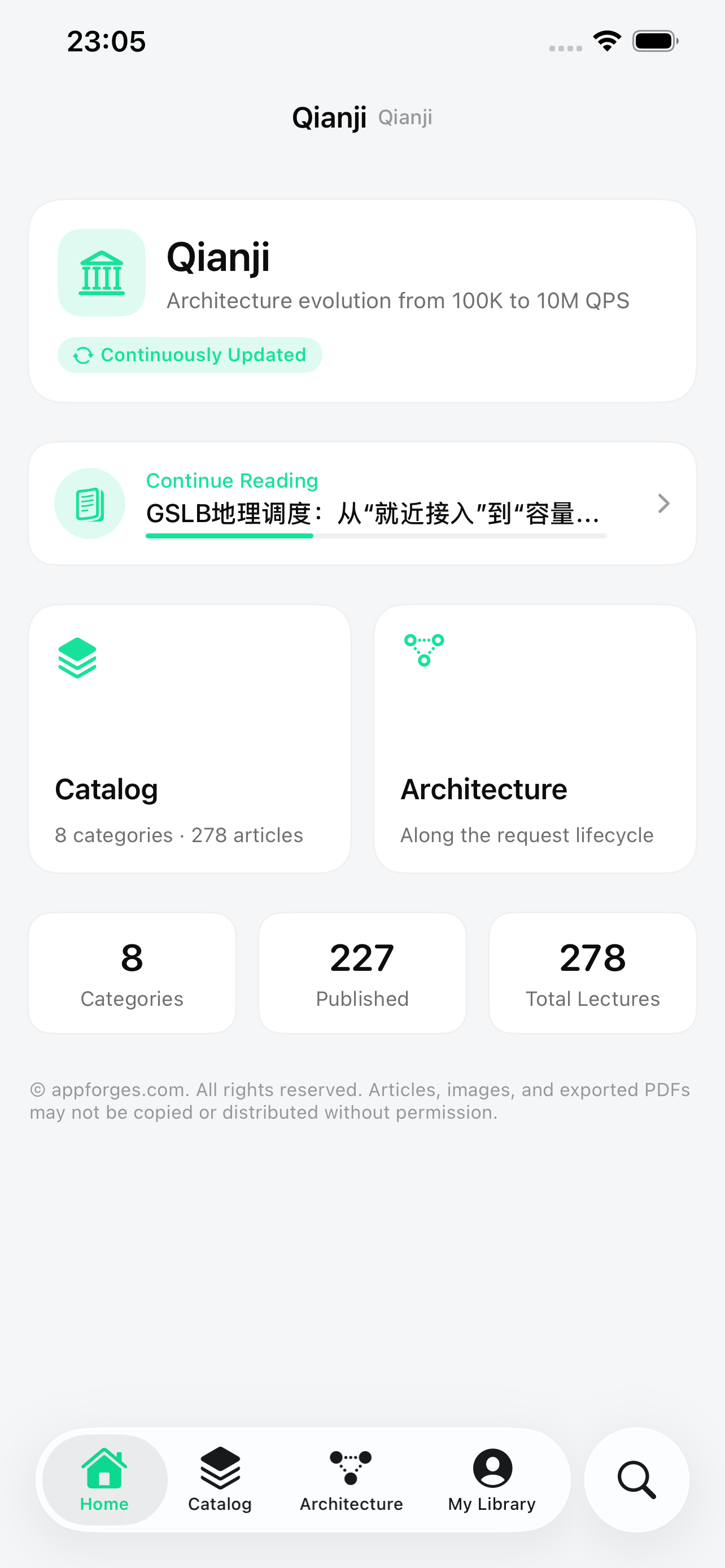
Qianji is an offline-first app for reading and working with system architecture content. Its catalog spans 8 domains, 58 topics, and 278 lectures, with full text available through Lecture 227 and more shipped in app updates. Articles and images install with the app, so reading, search, bookmarks, highlights, and notes remain available without a connection.
Why Qianji
First principles to explain the mechanics, production post-mortems to distill the trade-offs — a coherent system, not scattered fragments.
Dual Navigation: A Table of Contents Plus an Architecture Diagram
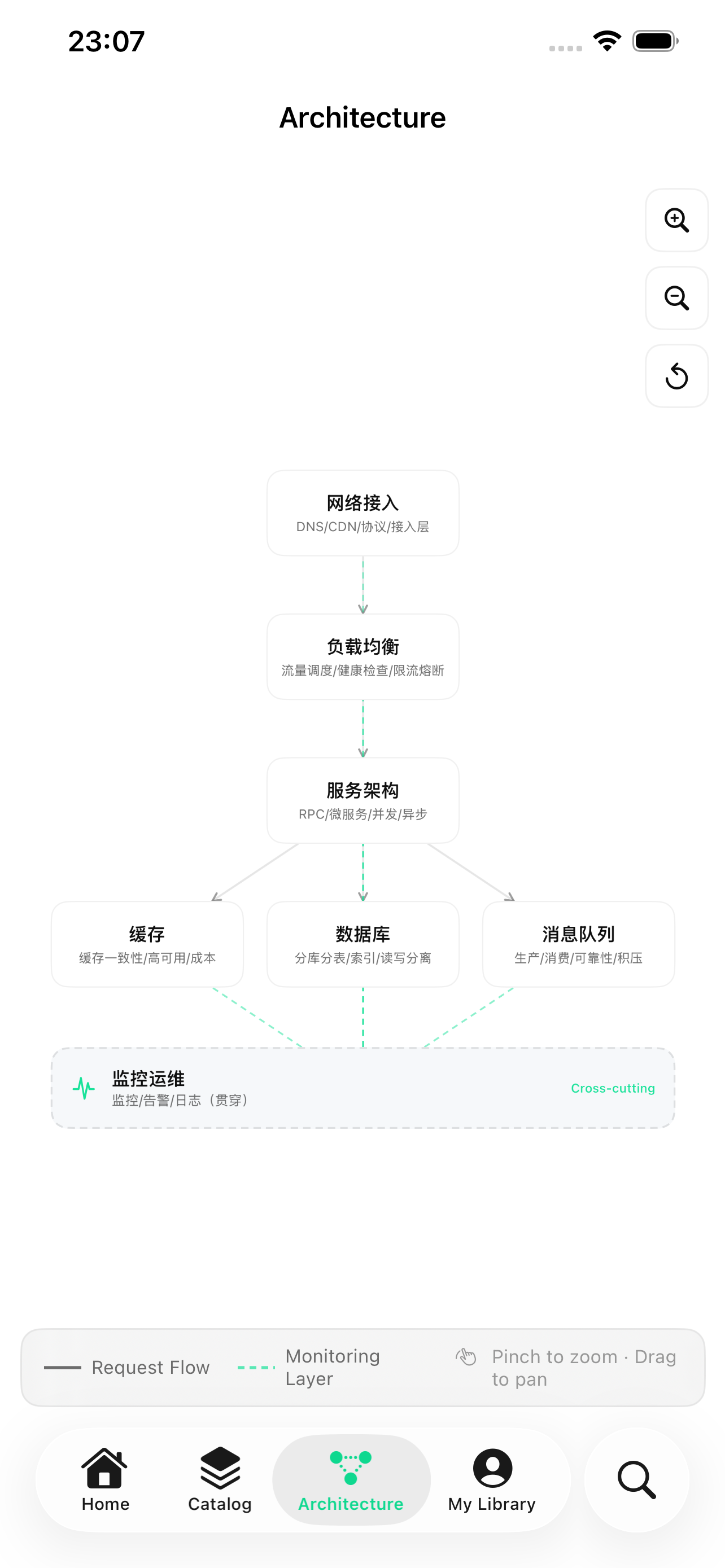
Eight nodes map to eight domains in the architecture-diagram view. Tap a node to open its topics, or follow the request lifecycle through networking, caching, databases, service governance, monitoring, and more.
8 Domains, 58 Topics, 278 Lectures
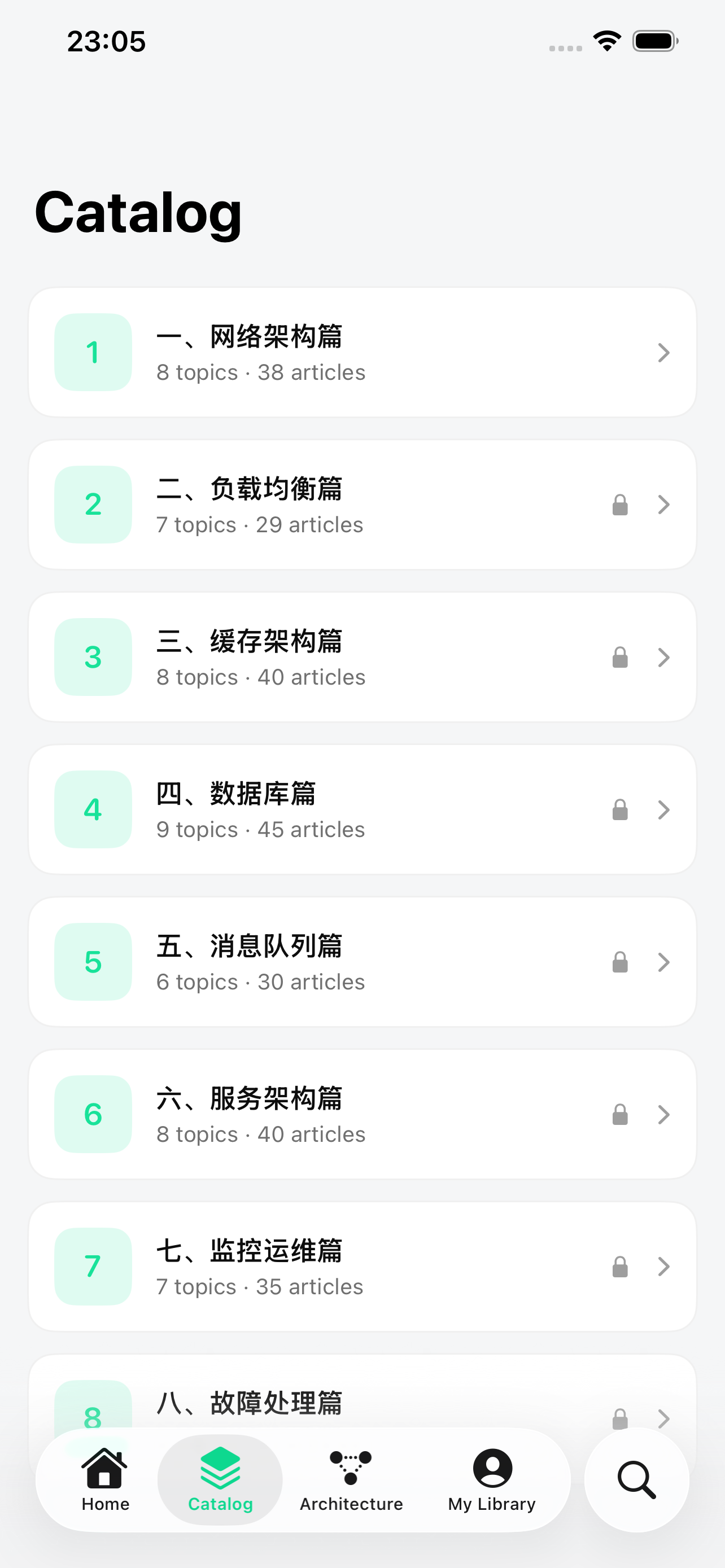
The catalog covers network architecture, load balancing, caching, databases, message queues, service architecture, monitoring and operations, and incident response. Full text is available through Lecture 227, with later lectures arriving in app updates.
Native Reader with Offline Full-Text Search
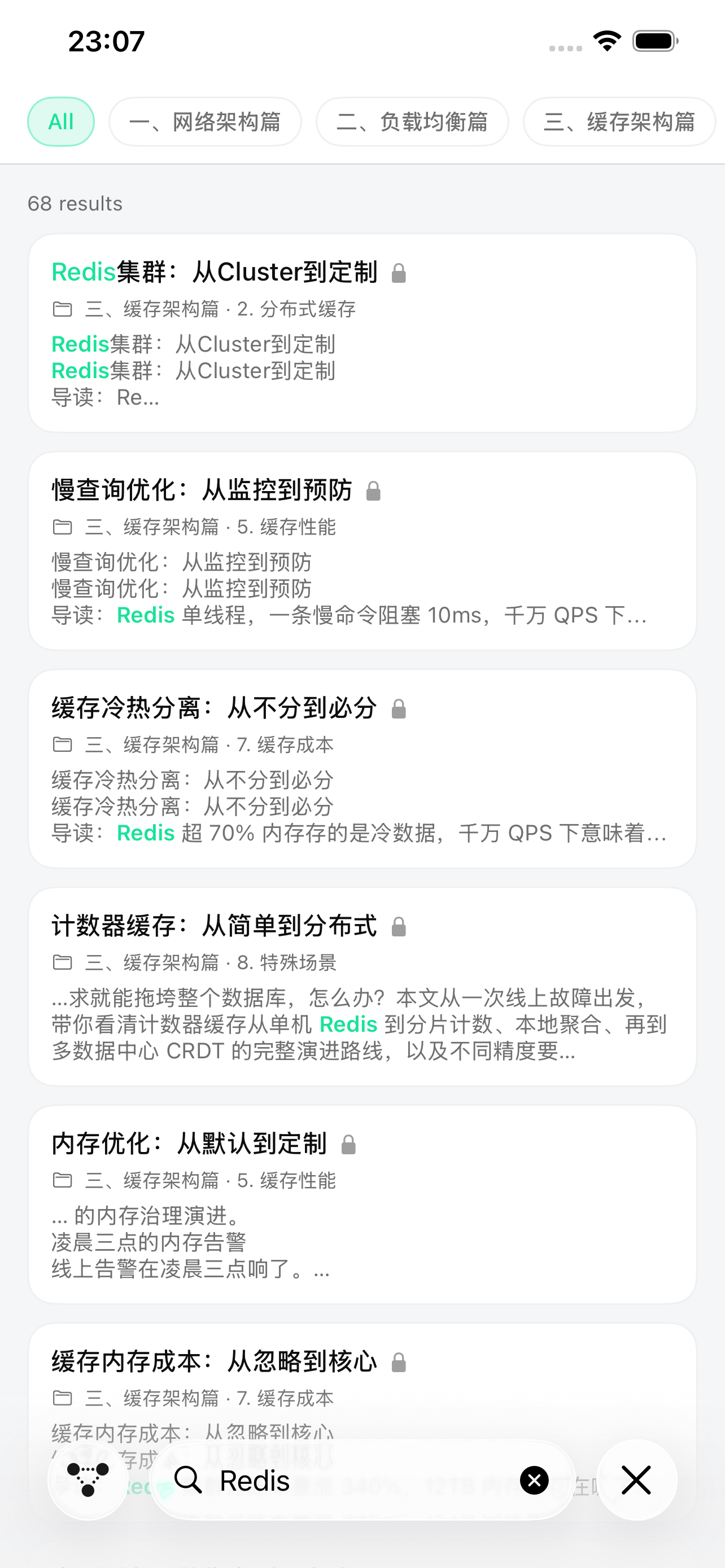
Native Markdown rendering with syntax-highlighted code, tables, and zoomable images; full-text search works fully offline with every hit highlighted, and dark mode keeps late-night reading easy on the eyes.
Everything Built In, No Network Needed
Articles and images ship inside the install package, so reading and search still work on a commute, a flight, or in a server room with no signal. Reading progress, bookmarks, highlights, and notes stay on your device, with no ads or behavioral tracking.
Highlights, Notes, and Bookmarks
Highlight key takeaways as you read, jot down annotations, and bookmark the articles you reach for most; a single hub gathers all your notes for review, and reading progress is tracked automatically.
Share Posters and Article Long Images
Preview before sharing. Qianji creates a compact overview poster by default; turn on Include Article Body for a long image that can be sent or saved through the system share sheet. You can also copy prepared share text with the title, category, lecture number, and download link. Images are generated on-device, without automatically uploading the article or personal data.
How to Use Qianji
From install to mastery in three steps.
Install from the Store and Start Reading
Download it from your app store and start reading right away — all content ships inside the package, with no sign-up and no network required.
Enter Through Either Navigation
Browse the eight domains from the table of contents, or switch to the architecture diagram and tap the node related to the problem in front of you.
Read, Annotate, and Share When Useful
Highlight, take notes, and bookmark as you read, then use offline full-text search when a problem comes up. To discuss an article with a teammate, make an overview poster or long image, or copy the prepared share text.
Product Screenshots
Who Uses Qianji
Four roles, one app for work and study.
Quick Answers on the High-Concurrency Front Line
When a backend engineer hits a tough trade-off in rate limiting, cache consistency, or database sharding, offline search jumps straight to the right article — highlight and bookmark it, and it's back in seconds next time.
A Reference for Architecture Evolution Decisions
When drafting a design, open the architecture-diagram view and walk the request lifecycle hop by hop to examine the reasoning behind each trade-off, giving team reviews a clear and traceable architectural foundation.
Big-Tech Interview Sprint
Read offline on your commute and grasp the principles behind stock interview questions as one coherent system; with notes and highlights, run a full systematic review before the interview.
A Structured Intro to Large-Scale Architecture
Browse the eight domains in order, build a big-picture mental model with the architecture diagram, and let related-article recommendations connect the details.
Download Qianji
The Android installer is available from the official website, and the iOS version is now on the App Store. Android app stores and HarmonyOS will follow.
Android is a trademark of Google LLC.

Scan to download
Send Us Your Corrections and Suggestions
Qianji's features and offline content continue to evolve. Whether you have a content correction, a topic request, a feature suggestion, or a bug report, write to us; we read every message carefully.